

What is Dusk?
Dusk is a blockchain platform focused on privacy and regulatory compliance for tokenized finance (RWA) and real-world assets. Founded in 2018, it is designed to execute confidential smart contracts while prioritizing scalability and interoperability. Its infrastructure enables the private, compliant issuance, trading, and management of regulated assets (adhering to KYC/AML standards), catering to financial institutions that require privacy without sacrificing legal compliance. Unlike generic public blockchains, Dusk Network employs zero-knowledge protocols—such as zk-SNARKs—to execute confidential transactions. This supports applications like tokenized securities, stablecoins, and regulated DeFi on a high-performance sidechain (XSC) capable of processing up to 2,000 TPS. The network is powered by its native token, $DUSK (total supply: approx. 500 million), used for fees, staking in DPoS validators, governance, and accessing privacy features.User Guide (Dusk)
Prerequisites
Before you begin, make sure you have:Compatible Wallet
You must use the official Dusk Web Wallet: 👉 https://apps.dusk.network/wallet/setup/DUSK Tokens
- You must hold 1,000 DUSK (approximately USD $70.20 as of 11/17/2025 — always check the current price).
- Check the daily DUSK price here:
👉 https://coinmarketcap.com/currencies/dusk/
- Binance — https://www.binance.com/
- Bitget — https://www.bitget.com/
- KuCoin — https://www.kucoin.com/
- Gate — https://www.gate.com/
Cripto Host Account
You must have an active account on: 👉 https://cripto.host/💡 Note:
Cripto Host provides fully compatible infrastructure (8 vCPU, 32GB RAM, 1TB NVMe SSD).
No hardware configuration is required.
Step-by-Step Setup
Follow the steps below. Cripto Host handles the rest automatically.1. Select Your Plan on Cripto Host
The first step is to deploy your node. Simply:- Log into your Cripto Host dashboard
- Select the DUSK node plan
- Complete the purchase
2. Configure Your Dusk Web Wallet
2.1 Access the Dusk Web Wallet
Go to the official Dusk Web Wallet: 👉 https://apps.dusk.network/wallet/setup/ ⚠️ Always verify that you are on the official Dusk website to avoid phishing attacks.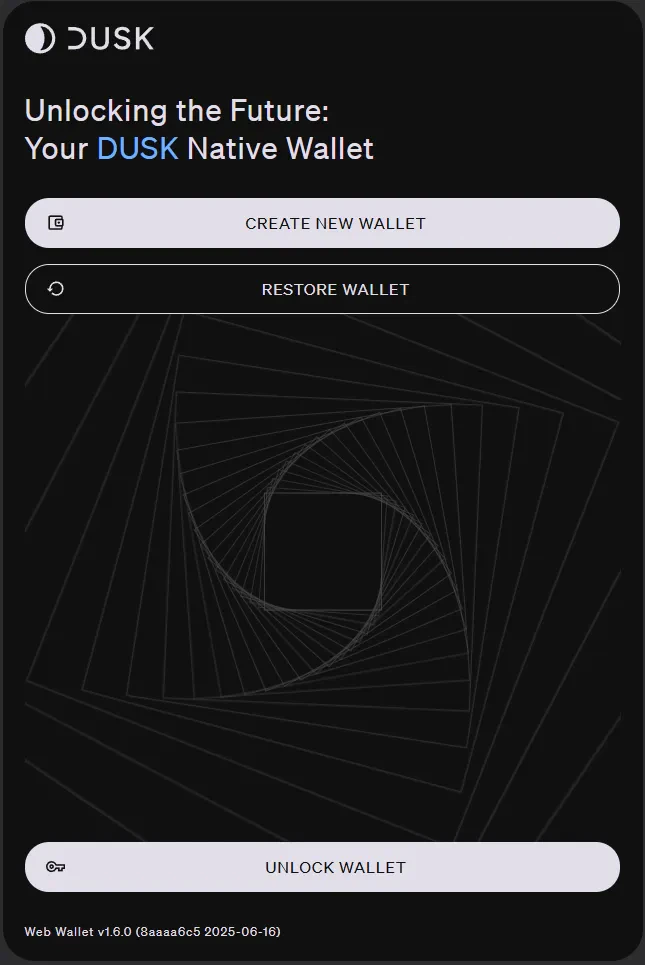
2.2 Restore Your Wallet
You must restore the wallet associated with your node.- Click “RESTORE WALLET”
- Enter the 12-word recovery phrase provided by Cripto Host
- Follow the on-screen instructions to access your wallet
2.3 Manage Your DUSK Tokens
Once your wallet is set up, you can:- View your balance
- Check transaction history
- Send and receive DUSK
To Receive DUSK
- Go to the Receive tab
- Copy your wallet address
- Share it with the sender
To Send DUSK
- Go to the Send tab
- Enter the recipient’s address
- Enter the amount
- Choose between shielded (private) or public transfer
What Happens Next?
Once everything is configured:- ✅ Automatic Rewards — Earn DUSK daily
- ✅ 24/7 Monitoring — Cripto Host ensures ≥99% uptime
- ✅ Control Panel Access — Monitor rewards and node status
- ✅ Technical Support — Contact Cripto Host support if needed
Useful Links
- Official Website — https://dusk.network/
- Dusk Web Wallet — https://apps.dusk.network/wallet/setup/
- Official Documentation — https://docs.dusk.network/learn/overview/
- Block Explorer — https://apps.dusk.network/explorer/
- CoinMarketCap — https://coinmarketcap.com/currencies/dusk/