

What is Nibiru?
Nibiru is a high-performance Layer 1 blockchain built on the Cosmos SDK and Tendermint BFT. It is designed to support scalable Web3 applications in DeFi, gaming, NFTs, and Real-World Assets (RWA). Nibiru prioritizes superior throughput (up to 100,000 TPS), interoperability via IBC, and a “Super App” ecosystem integrating perpetuals, spot trading, swaps, and stablecoins. Founded in 2021, the project aims to unify leveraged derivatives, spot trading, staking, and liquidity into a seamless experience for users across 40+ chains. It employs modules such as Nibi-Perps (a perpetuals DEX with ALP and decentralized oracles), Nibi-Swap (AMM), NUSD (collateralized stablecoin), and an Oracle Module for secure, real-world data. Unlike fragmented platforms, Nibiru rewards developers with fees based on time-weighted Total Value Locked (TVL), promoting sustainable growth. It ensures adoption through EVM and Wasm compatibility for secure contract execution. The network is powered by $NIBI (total supply: 1 billion), used for gas fees, staking/delegating to PoS validators, governance, and accessing key features like oracles and perpetuals.User Guide (Nibiru)
Prerequisites
Before getting started, make sure you have:Compatible Wallet
Install one of the following wallets:- Leap Wallet
- Keplr Wallet
- Fox Wallet
- MetaMask
- Coinbase Wallet
👉 https://nibiru.fi/docs/wallets/
NIBI Tokens
You must hold at least: 1 NIBI (approx. R$ 0.07 as of 01/09/2026 — price may vary) Check the latest price via market trackers. You can purchase NIBI on exchanges such as:- Bybit — https://www.bybit.com/
- Gate — https://www.gate.com/
- KuCoin — https://www.kucoin.com/
- MEXC — https://www.mexc.com/
- CoinEx — https://www.coinex.com/
Cripto Host Account
You must have an active account: 👉 https://cripto.host/💡 Note:
Cripto Host provides compatible infrastructure.
No personal hardware configuration is required.
Step-by-Step Setup
1. Deploy Your Node on Cripto Host
- Log into your Cripto Host dashboard.
- Select your desired plan (e.g., Expert).
- Define your validator name (for example:
MyNibiruValidator).
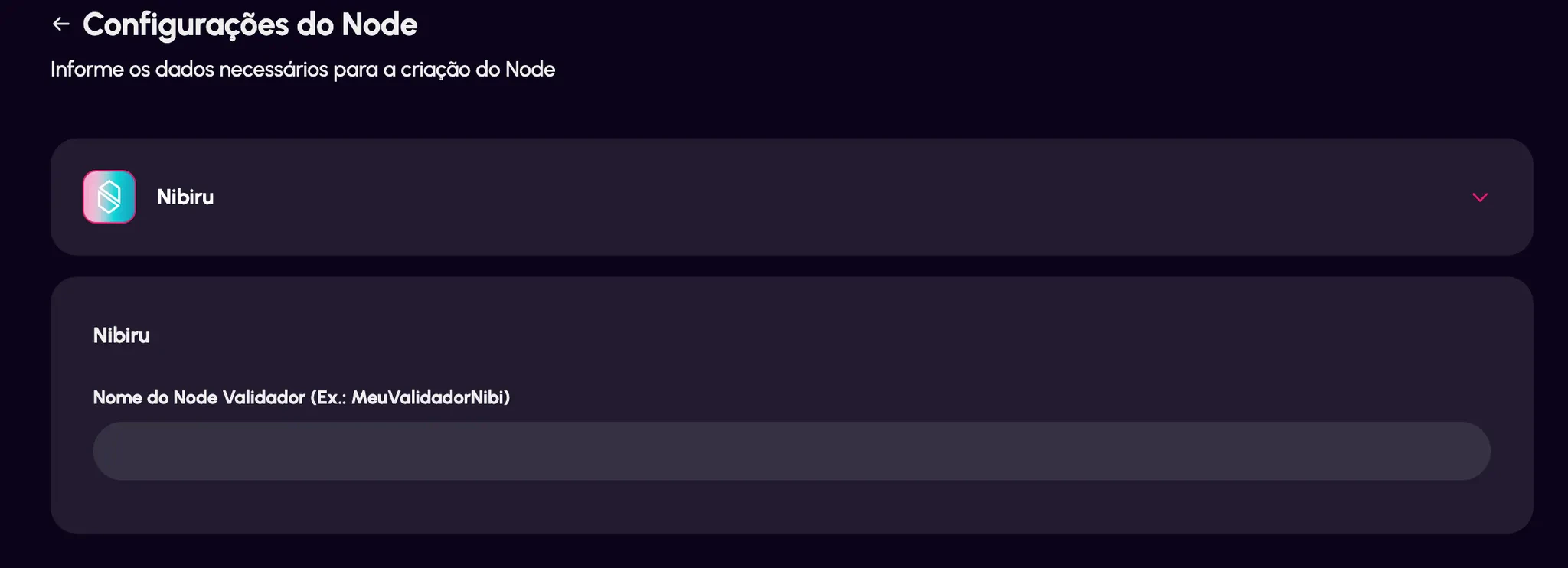
- Complete the purchase.
You will receive a 12-word seed phrase.
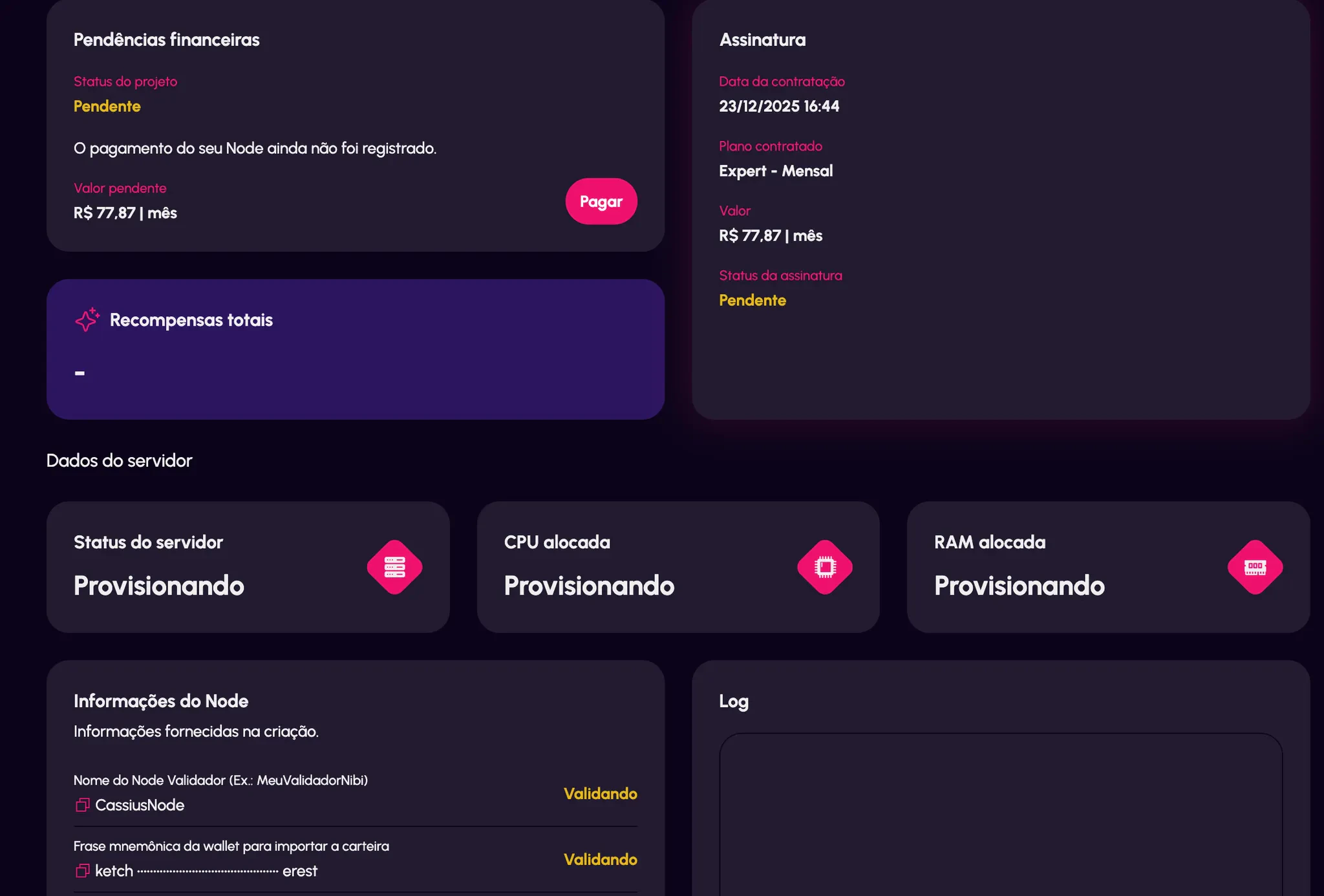
2. Restore Your Wallet (Leap or Keplr)
- Open your wallet extension.
- Click “Restore Wallet.”
- Enter the 12-word seed phrase provided by Cripto Host.
- Complete the setup process.
- Copy your wallet address (it begins with “nibi”).
- Transfer your NIBI tokens from your exchange to this address.
3. Delegate Your NIBI
- Open the official Nibiru web application.
- Click “Connect Wallet.”
- Select the Cripto Host validator (the name you defined earlier).
- Enter the amount of NIBI you want to delegate.
- Approve and sign the transaction in your wallet.
- Verify the delegation under “My Delegations.”
What Happens Next?
After delegation:- ✅ Automatic Rewards
Earn NIBI daily. - ✅ 24/7 Monitoring
Cripto Host guarantees ≥99% uptime. - ✅ Dashboard Access
Track rewards and node status via your Cripto Host panel. - ✅ Technical Support
Contact official Cripto Host support if needed.
Useful Links
- Official Website — https://nibiru.fi/
- Documentation — https://nibiru.fi/docs/
- Block Explorer — https://nibiru.explorers.guru/
- CoinMarketCap — https://coinmarketcap.com/currencies/nibiru-chain/